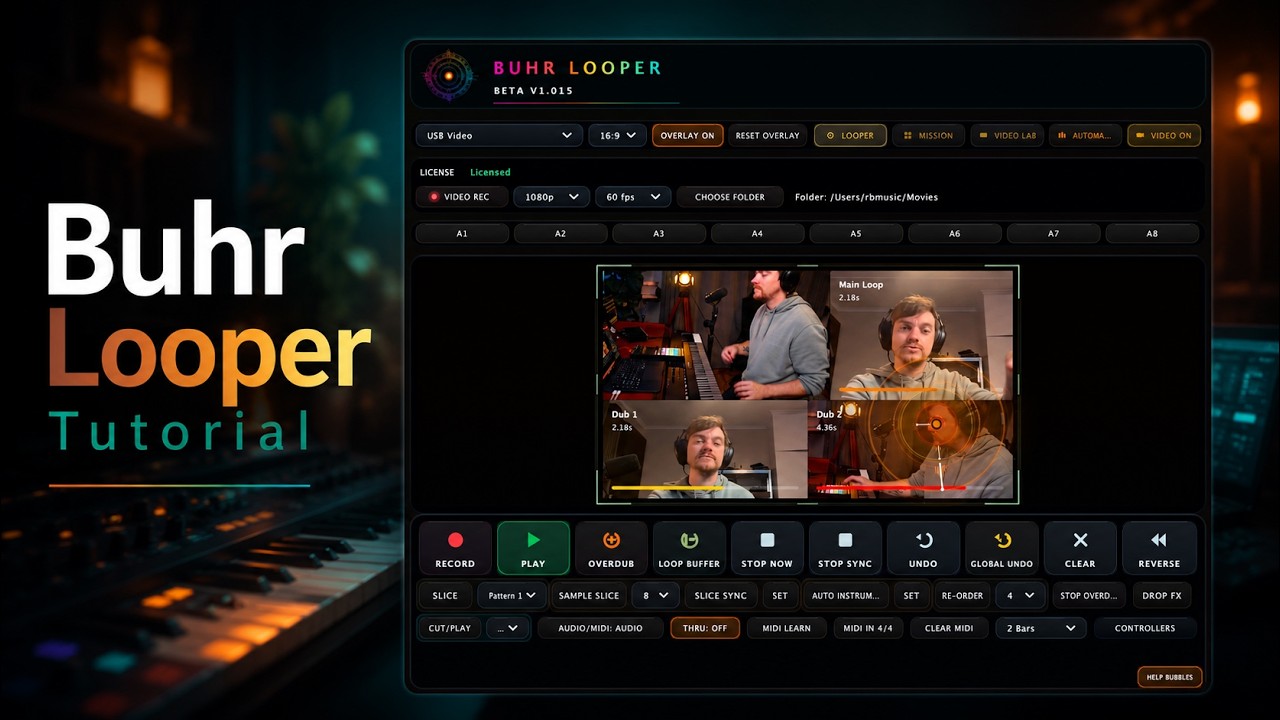
A looper you have to operate with a mouse isn't a looper — it's a spreadsheet. Buhr Looper is built to be played with your hands and feet, through hardware, eyes-up, while you're actually performing. Whether you stomp footswitches or hammer pads, here's how to put Buhr Looper under your fingers — and why its LED feedback means you'll always know what every loop is doing without looking at the screen.
MIDI Learn: map anything to anything
The fastest path is MIDI Learn. Click learn, wiggle a knob or stomp a switch, and that control is mapped. It runs on its own direct MIDI path (separate from host automation), and it covers the moves that matter live:
- Transport — Record, Play, Overdub, Stop
- Reshaping — Slice, Cut/Play, Reverse, Drop FX
- Stop modes — Stop Now, Stop Sync, Stop All Overdubs
- Loop Buffer (rolling pre-record) and Global Undo
- Automation Lab set triggers
Map Record/Play/Overdub/Stop to four footswitches and you've rebuilt the classic stomp-box workflow — now with a cinema attached.
Your mappings follow you everywhere
Nothing kills momentum like re-mapping your rig after every update. Buhr Looper writes your learned mappings machine-wide, to a shared file, so they survive reinstalls and apply automatically to every new instance you load. Open a fresh instance on a new track and your controller already works. (A saved session with its own mappings still wins, so project-specific setups are safe.)
You can also pick a direct MIDI input device per instance, so a controller reaches the plugin even outside your host's MIDI routing.
Native hardware support — with colored LEDs
Beyond generic MIDI Learn, Buhr Looper has first-class integrations for the controllers performers actually use, each with a dedicated row in the Controllers panel (activation toggle, pad/slot selector, and a savable MIDI channel):
- Nektar Pacer — the foot-controller favorite. Per-instance pedal selection (pedals 1–6 map to CC91–CC96), queued tap acknowledgement, and an Ableton clip-automation-friendly mode.
- Novation Launch Control XL MK2 — knobs and buttons with channel-aware LED feedback.
- NI Traktor Kontrol F1 — indexed RGB pad feedback; multiple instances automatically claim pad rows left-to-right.
- Akai APC40 MK2 and Akai APC Mini — pad/track slot mapping for grid players.
Here's the part that makes it gig-proof — the LED feedback language is consistent across devices:
- Blinking red → recording
- Blinking orange → overdubbing
- Solid green → playing
- Looper color → stopped with content
- Dim → empty / deleted
A pad that's about to start shows a pre-record flash, then turns red the instant the bar begins. Glance at your controller, not your laptop — the lights tell you the whole story. When several instances share the stage, the feedback resolves by live-loop priority so an idle layer can never "steal" the color of an active one.
Sequence it from Ableton clips
Prefer to bake the performance into your project? Buhr Looper exposes its core looper buttons and the eight Automation Lab set triggers as host-automatable parameters, so you can fire them from Ableton clip automation — while the hardware pad-assignment fields are kept non-automatable to stay under Live's parameter limit, so the useful controls show up without diving into Configure mode. MIDI Learn keeps its own separate path, so hardware and clip automation can happily coexist.
A 5-minute live setup
- Plug in your controller (say, a Pacer). Open the Controllers panel, enable its row, pick the MIDI channel.
- MIDI Learn Record/Play/Overdub/Stop onto four footswitches.
- Map Loop Buffer and Global Undo to two more — your "catch that" and "undo that" pedals.
- Optionally, map your Automation Lab sets to launch full arrangements with one stomp.
- Look down once to confirm the LEDs, then look up for the rest of the show.
That's the whole point: Buhr Looper wants to disappear into your hands and feet so you can keep your eyes on the room — and your audience can keep their eyes on the stage you're building, in sound and picture.
Get Buhr Looper
Buhr Looper runs as an AU and VST3 plugin on macOS (Intel + Apple Silicon) and Windows, signed and notarized by Apple. Record your first audio-and-video loop in about ten seconds, unlocked instantly with a Gumroad key.
</content>
FAQ
Which controllers does Buhr Looper support?
Do my mappings survive updates?
What do the LED colours mean?
Written by Reinhardt Buhr, a live-looping multi-instrumentalist and the developer behind Buhr Looper — the world's first all-in-one video, audio & MIDI live looper. Grab the 70% launch discount.

